

Anyline
Research & Discovery
Exploring the people, patterns, and possibilities that shaped the solution.
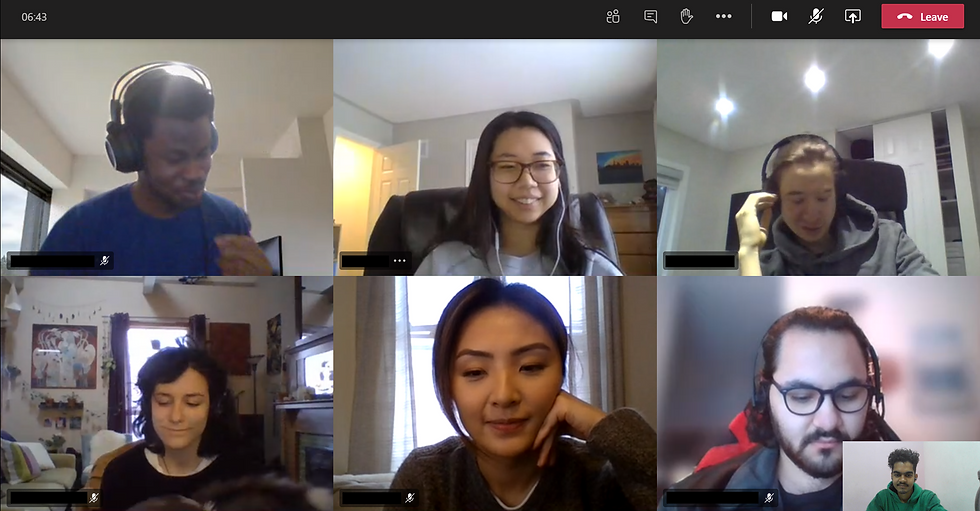
Stakeholder Interview Insights
Conducted stakeholder interviews with product and marketing teams to align UX goals with business metrics.
Business Goal
Highlight Anyline's advanced OCR capabilities through a seamless demo that drives trial sign-ups and client confidence.
User Goal
Provide a fast, accurate, and intuitive scanning experience—even in challenging environments.
Primary Users
Both business and technical professionals needing reliable, efficient document/data scanning.
Current Pain Point
The existing demo lacks intuitive UX, causing frustration and drop-offs.
Key Scenarios
ID verification (e.g., licenses, passports)
Utility meter scanning
Document data extraction in varied conditions
Design Constraints
-
Must follow WCAG accessibility standards
-
Stay within brand guidelines
-
Ready for launch in 3–4 months
Success Metrics
Boost scan initiation rate
Improve System Usability Score (SUS)
Reduce time on task and user error rate
Increase demo-to-trial conversions
Literature Review
To understand Anyline’s offerings, I conducted a literature review of key resources, including official documentation, brand guidelines, and sample scanbooks. The research highlighted the flexibility and capabilities of Anyline’s Cloud API, which supports a wide range of scanning use cases—IDs, meters, barcodes, and vehicle identifiers. It also revealed the importance of visual clarity, brand consistency, and responsive UI design. Sample images and animated workflows aid usability testing, while brand guidelines ensure alignment with Anyline’s identity. This secondary research provided a strong foundation to evaluate current solutions and identify opportunities for improvement in UX and functionality.
Resources :
-
Documentation for getting started
-
Anyline Brand Guidelines Anyline Design Guide 01 2023.pdf
-
Anyline Scanbook with Samples of different scanneable objects https://anyline.com/example-sheets
-
Sample images for each use case
-
Designs
-
Meter Image Scan Flow
-
ID Scan Flow
-
Responsive design for mobile
-
Gaps and Opportunities
-
OCR-Specific UX: Limited research exists on UX for OCR web interfaces, necessitating Anyline-specific usability testing to validate navigation and result designs.
-
Accessibility vs. Aesthetics: Balancing WCAG compliance with Anyline’s vibrant brand visuals requires careful iteration to maintain accessibility without losing visual character or emotional appeal.
-
Emerging Trends: AI-driven UX, like predictive mode selection, could enhance Anyline’s interface but lacks mature research for immediate application.
Competitive Research
Although the client preferred not to focus on direct competitors, they emphasized a key priority: simplicity and user-friendliness. To support this direction, I studied related web applications and found valuable inspiration in the I Love PDF platform, known for its fast, intuitive upload and processing flow.
Meanwhile, a broader market scan shows that Anyline uniquely positions itself as a mobile-first, real-time OCR solution with offline capabilities, tailored for industry-specific use cases. Unlike enterprise-heavy platforms like Laserfiche or SS&C Blue Prism, Anyline’s strength lies in lightweight integration and user-centered design, making it a strong niche leader.
These insights helped us shape a streamlined, performance-driven UX aligned with real user needs—quick, reliable, and easy to use in any environment.
User Interview Insights
I spoke with:
-
5 people from marketing, operations, design, analytics and development team—neutral and unaware of the project, ensuring unbiased input.


Each user walked through the existing flow and answered qualitative questions about their experience. I then conducted a System Usability Scale (SUS) evaluation to quantify their perception of the interface's usability.
Average SUS Score: 56/100 — clearly below industry standards and a strong signal for improvement.
Heuristic Evaluation
To assess the usability of the current interface, I conducted a heuristic evaluation based on Nielsen’s 10 usability principles. Several critical issues emerged that directly affect user experience and task success:
Visibility of System Status
There’s no clear indication of where users are in the process or how many steps remain, which can lead to confusion and uncertainty.
Match Between System and the Real World
Highlight Anyline's advanced OCR capabilities through a seamless demo that drives trial sign-ups and client confidence.
User Control and Freedom
Users aren’t provided with a simple way to rescan or upload a different document, limiting flexibility and control.
Error Prevention
Users can mistakenly upload unsupported formats due to unclear instructions and missing file-type indicators.
Recognition Rather Than Recall
There are no contextual cues for technical terms, and the uploaded image isn’t shown on the result screen, forcing users to rely on memory.
Flexibility and Efficiency of Use
The system lacks shortcuts or alternate paths for users who want to skip certain steps or quickly rescan documents.
Aesthetic and Minimalist Design
The interface, especially on type selection and result screens, feels cluttered and could benefit from visual simplification.
Help and Documentation
The system lacks in-product guidance such as tooltips, onboarding, or contextual help, making it harder for new users to navigate.

User Journey Mapping
Based on user interviews and personas the map outlines customer's experience evaluating the Web SDK Demo.

User Stories
Each story follows the format: As a [user], I want [functionality] so that [benefit].
As a Customer, I want an intuitive navigation menu so that I can quickly find and select scan modes without excessive scrolling.
Acceptance Criteria : Navigation menu displays all scan modes (Meter, ID, MRZ, Barcode) with clear labels, icons and Info icon for help.
Modes are accessible without scrolling on standard screen sizes (desktop, tablet, mobile).
Menu is WCAG 2.1 compliant.
Rationale : Addresses cluttered navigation, a key pain point from user interviews, supporting the goal of intuitive design.
As a Customer, I want access to sample images for each scan mode so that I can test the API without preparing my own images.
Acceptance Criteria : Sample images provided for Meter (Analog/Digital, Dial), ID, MRZ, and Barcode modes (Anyline Scanbook).
Usability testing shows 80% of users utilize sample images for initial tests.
As a Customer, I want clear CTAs for next steps so that I can easily download the SDK or contact support.
Acceptance Criteria : CTAs for SDK trial (Anyline SDK) and contact form (Anyline Contact) are visible on home and results pages.
Rationale: Drives lead generation, a key business goal, by guiding users to action.
As a Customer, I want to quickly scan multiple types of documents without navigating through complex menus so that I can complete my tasks efficiently in the field.
Acceptance Criteria : Interface allows scanning multiple document types (e.g., Meter, ID, MRZ) in a single session without returning to the main menu.
A simplified workflow enables consecutive scans with minimal clicks (e.g., upload, scan, next).
User Stories
Each story follows the format: As a [user], I want [functionality] so that [benefit].
As a Customer, I want an intuitive navigation menu so that I can quickly find and select scan modes without excessive scrolling.
Acceptance Criteria : Navigation menu displays all scan modes (Meter, ID, MRZ, Barcode) with clear labels, icons and Info icon for help.
Modes are accessible without scrolling on standard screen sizes (desktop, tablet, mobile).
Menu is WCAG 2.1 compliant.
Rationale : Addresses cluttered navigation, a key pain point from user interviews, supporting the goal of intuitive design.
As a Customer, I want access to sample images for each scan mode so that I can test the API without preparing my own images.
Acceptance Criteria : Sample images provided for Meter (Analog/Digital, Dial), ID, MRZ, and Barcode modes (Anyline Scanbook).
Usability testing shows 80% of users utilize sample images for initial tests.
As a Customer, I want clear CTAs for next steps so that I can easily download the SDK or contact support.
Acceptance Criteria : CTAs for SDK trial (Anyline SDK) and contact form (Anyline Contact) are visible on home and results pages.
Rationale: Drives lead generation, a key business goal, by guiding users to action.
As a Customer, I want to quickly scan multiple types of documents without navigating through complex menus so that I can complete my tasks efficiently in the field.
Acceptance Criteria : Interface allows scanning multiple document types (e.g., Meter, ID, MRZ) in a single session without returning to the main menu.
A simplified workflow enables consecutive scans with minimal clicks (e.g., upload, scan, next).
UI Screens - mobile

UI Screens - web

That’s a Wrap
In the end, great UX made great tech shine — and Anyline’s demo now scans faster, feels smarter, and sells itself.